5 Features Small Contractors Need in a Construction Proposal App
Learn which proposal app features help small contractors estimate accurately, communicate clearly, reduce errors, and move approved work toward invoicing faster.
What Small Contractors Should Look for in a Construction Proposal App
What Small Contractors Should Look for in a Construction Proposal App
For small contractors, preparing proposals often competes with estimating jobs, supervising crews, ordering materials, and completing work in the field. Yet a rushed or incomplete proposal can create unclear expectations, missed costs, delayed approvals, and disputes later in the project.
A construction proposal app should do more than produce an attractive document. It should help you define the scope of work, organize labor and material costs, explain options clearly, and preserve the details needed for change orders and invoicing.
Why the Right Proposal App Matters
A professional proposal gives the client a clear picture of what is included, what the project may cost, and what happens next. It also gives the contractor a written record of the assumptions, pricing, selections, and responsibilities discussed before work begins.
When proposal information is organized from the start, contractors can reduce repetitive data entry, respond to customers faster, and create more consistent project records.
1. Accurate Estimating and Reusable Templates
The app should make it easy to enter labor, materials, equipment, subcontractor costs, taxes, allowances, and other project expenses.
Reusable templates can save time on recurring projects, but each proposal should remain customizable. A kitchen renovation, roofing project, or mansion restoration may require different line items, exclusions, options, and pricing assumptions.
Look for the ability to:
- Create and edit detailed line items
- Save frequently used services and materials
- Separate labor from material costs
- Include optional upgrades or alternatives
- Adjust quantities, rates, and project totals
2. Clear Scope, Exclusions, and Project Options
Price alone does not explain what the customer is purchasing. A strong proposal should clearly identify:
- Work included in the project
- Work excluded from the price
- Materials or finishes selected
- Allowances that may change
- Optional services or upgrades
- Estimated project timing
- Payment expectations
- Conditions that may require a change order
Clear scope language helps prevent customers and contractors from leaving the proposal meeting with different expectations.
3. Bilingual Documentation
Contractors who work with English- and Spanish-speaking clients, crews, or subcontractors need more than a basic translation tool.
A bilingual workflow can help ensure that project descriptions, materials, pricing, and customer requests are understood consistently. It can also allow field information to be captured in the language used at the jobsite while producing a professional client-facing document in the appropriate language.
Bilingual documentation is especially useful when the person completing the work and the person approving or paying for it prefer different languages.
4. Mobile Jobsite Documentation
A proposal app should work where project decisions are made: at the property.
Contractors should be able to record measurements, notes, materials, client requests, and project details without relying on memory later. Photos can also help document existing conditions, areas requiring repair, selected finishes, and the work being proposed.
Capturing information during the site visit reduces the risk of forgetting details when the proposal is prepared later.
5. A Connected Proposal-to-Invoice Workflow
A proposal should not become an isolated document that must be recreated when the customer approves the work.
The strongest workflow carries the original project information forward into estimates, proposals, change orders, invoices, and project records. This reduces duplicate entry and helps maintain consistency between what was proposed, what changed, and what was ultimately billed.
Before selecting an app, determine whether it can preserve:
- Customer and project information
- Scope and pricing details
- Labor and material entries
- Additional client requests
- Change-order records
- Final billing information
Practical Example: A Mansion Renovation Proposal
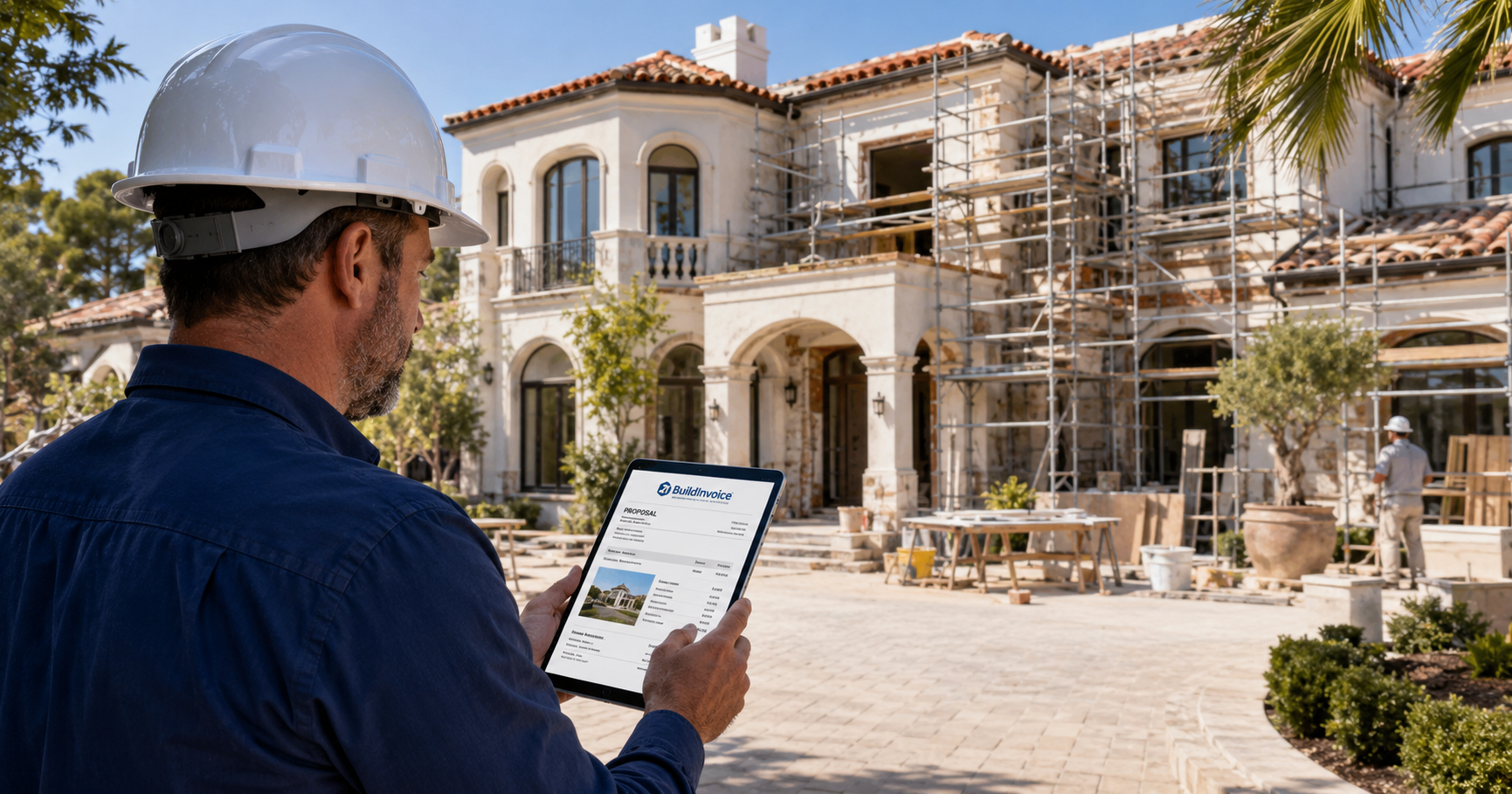
Imagine a contractor assessing a Mediterranean-style mansion undergoing renovation. The contractor records exterior repairs, interior finish selections, labor requirements, material allowances, and optional upgrades while walking the property.
Instead of returning to the office with scattered notes, the contractor organizes those details into a professional proposal. The homeowner can review the scope, compare options, and understand how labor, materials, and selections affect the price.
Once the project is approved, the original information remains available to support job documentation, future change orders, and accurate invoicing.
How to Evaluate a Proposal App
Before committing to a system, test it using one of your actual projects. Determine whether you can:
- Create a proposal efficiently from a phone, tablet, or computer
- Customize the scope and pricing
- Produce English and Spanish documents
- Save common services and materials
- Record jobsite notes and project details
- Create a professional PDF
- Maintain an organized project history
- Move approved information into later billing documents
The best app is not necessarily the one with the longest feature list. It is the one that fits the way your business actually gathers information, communicates with clients, and prepares bills.
Frequently Asked Questions
1. What should a construction proposal include?
A construction proposal should identify the client, project location, scope of work, labor and materials, pricing, allowances, exclusions, estimated schedule, payment expectations, and approval requirements. It should also explain circumstances that may require a change order.
2. What is the difference between an estimate and a proposal?
An estimate generally provides an anticipated price or cost range. A proposal usually presents a more complete offer, including the scope, pricing, options, responsibilities, and terms. The legal effect of either document depends on its language and applicable law.
3. Does a proposal replace a construction contract?
Not necessarily. A proposal may become part of a contract, but construction-contract requirements vary by project type and jurisdiction. Contractors should use the disclosures, notices, licensing information, cancellation provisions, and contract terms required where they operate.
4. Why is bilingual proposal software useful?
Bilingual proposal software can help English- and Spanish-speaking clients, crews, and subcontractors understand the same scope, pricing, materials, and project expectations. This may reduce translation errors and misunderstandings.
5. Can a contractor prepare proposals from the jobsite?
Yes. A mobile-friendly proposal workflow allows contractors to record measurements, notes, materials, photos, and customer requests while inspecting the project rather than reconstructing the information later.
6. Can an approved proposal be used to prepare an invoice?
A connected system can reuse customer, scope, labor, material, and pricing information from the approved proposal when preparing later billing documents. Contractors should still verify the final work, approved changes, and actual charges before invoicing.
7. What should small contractors compare before choosing an app?
Compare ease of use, mobile access, bilingual support, document customization, project-history features, PDF quality, pricing, data ownership, customer support, and whether the system connects proposals with change orders and invoices.
Conclusion
Small contractors need a proposal process that is accurate, practical, and easy to use from the field. The right construction proposal app can reduce paperwork, improve customer communication, and help prevent important project details from being lost between the initial site visit and the final invoice.
BuildInvoice is designed to help contractors organize jobsite information and create professional bilingual proposals and billing documents. Better proposals create clearer expectations—and clearer expectations support smoother projects, stronger customer relationships, and more accurate invoicing.
0 Comments